SKU: AT-UHD-PRO3-44M, AT-UHD-PRO3-66M, AT-UHD-PRO3-88M, AT-UHD-PRO3-1616M
Subject: How to Independently Route to ALL Outputs on the AT-UHD-PRO3 Matrices
Challenge: Inputs cannot be routed to HDMI outputs
Resolution:
By default, the HDMI outputs of AT-UHD-PRO3 matrices are configured for Mirror Mode and will follow the routing of associated HDBaseT outputs. For instance:
AT-UHD-PRO3-44M: HDMI output 5 mirrors HDBaseT output 4.
AT-UHD-PRO3-66M: HDMI outputs 6 and 8 mirror HDBaseT outputs 5 and 7 respectively.
AT-UHD-PRO3-88M: HDMI outputs 8 and 10 mirror HDBaseT outputs 7 and 9 respectively.
AT-UHD-PRO3-1616M: HDMI outputs 17-20 mirror HDBaseT outputs 13-16 respectively.
From the AT-UHD-PRO3 manuals:
I/O routing includes mirror mode for the HDMI ports.
Mirror Mode:
On - HDBaseT outputs are selectable from the drop down menu. The HDMI port will output the same audio and video of the selected HDBaseT output
Off (Matrix Mode) - Any of the connected inputs are selectable from the drop down menu. The HDMI port will output audio and video from the source to a local display.
To disable Mirror Mode and allow independent routes to HDMI outputs:
- Access the WebGUI for the AT-UHD-PRO3 matrix
- Navigate to the Configuration: I/O Tab
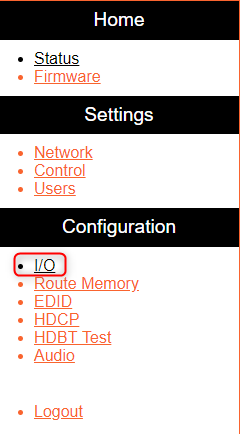
- On the HDMI Outputs, toggle the Mirror Mode drop-down selectors from On to Off:

- The Output drop-down selector will then change from reading "Output_#" (the HDBaseT output this HDMI output was mirroring) to "Input_#":

Mirror Mode has been successfully disabled, and you can now independently route to HDMI outputs.
Article ID: KB01545